§ 00Features

Everything the machine does.

Dactylo is small on purpose, but every part of it works. Here is all of it, from the typebars to the manuscript.

§ 01The machine

A whole typewriter, live.

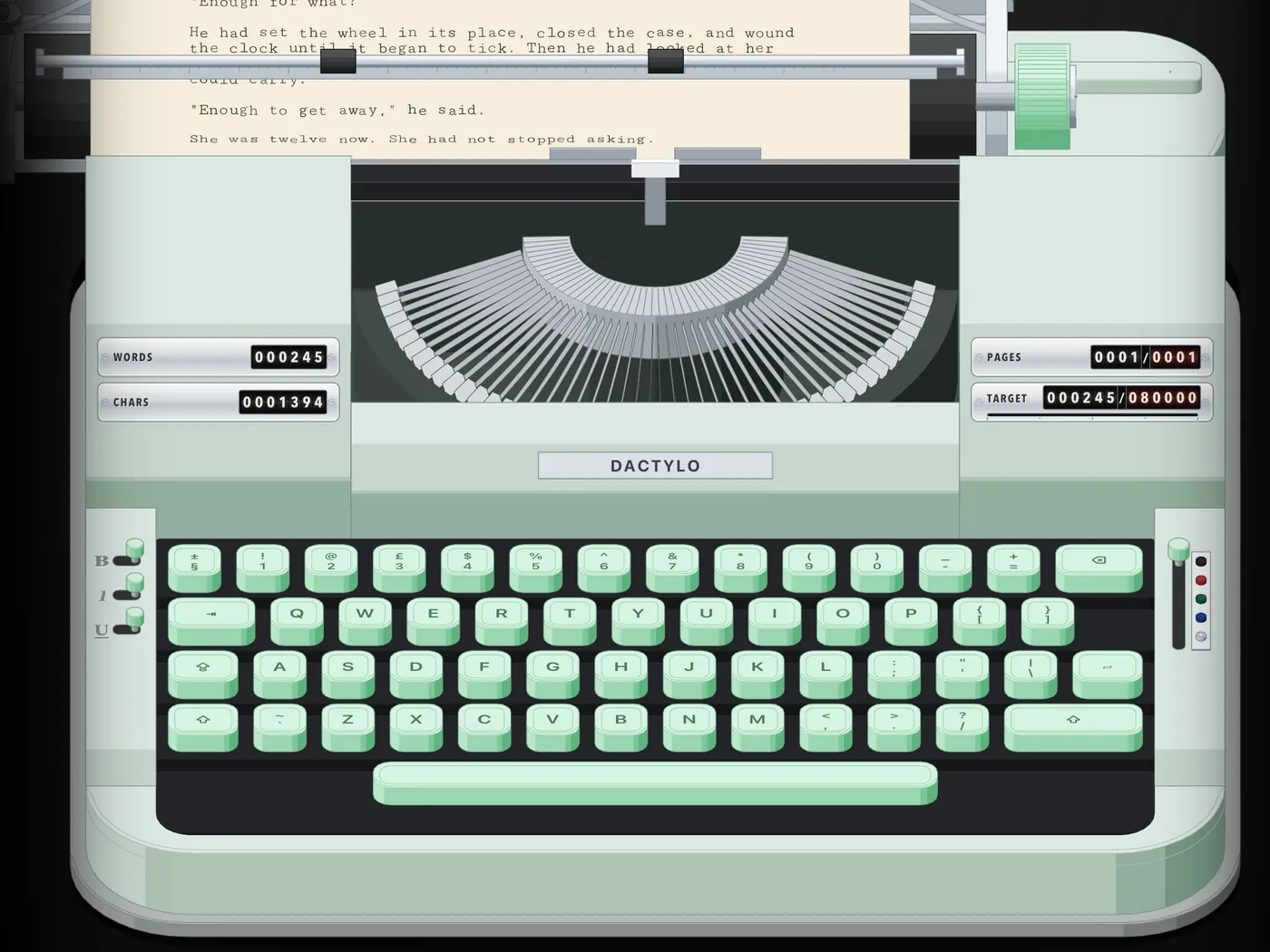
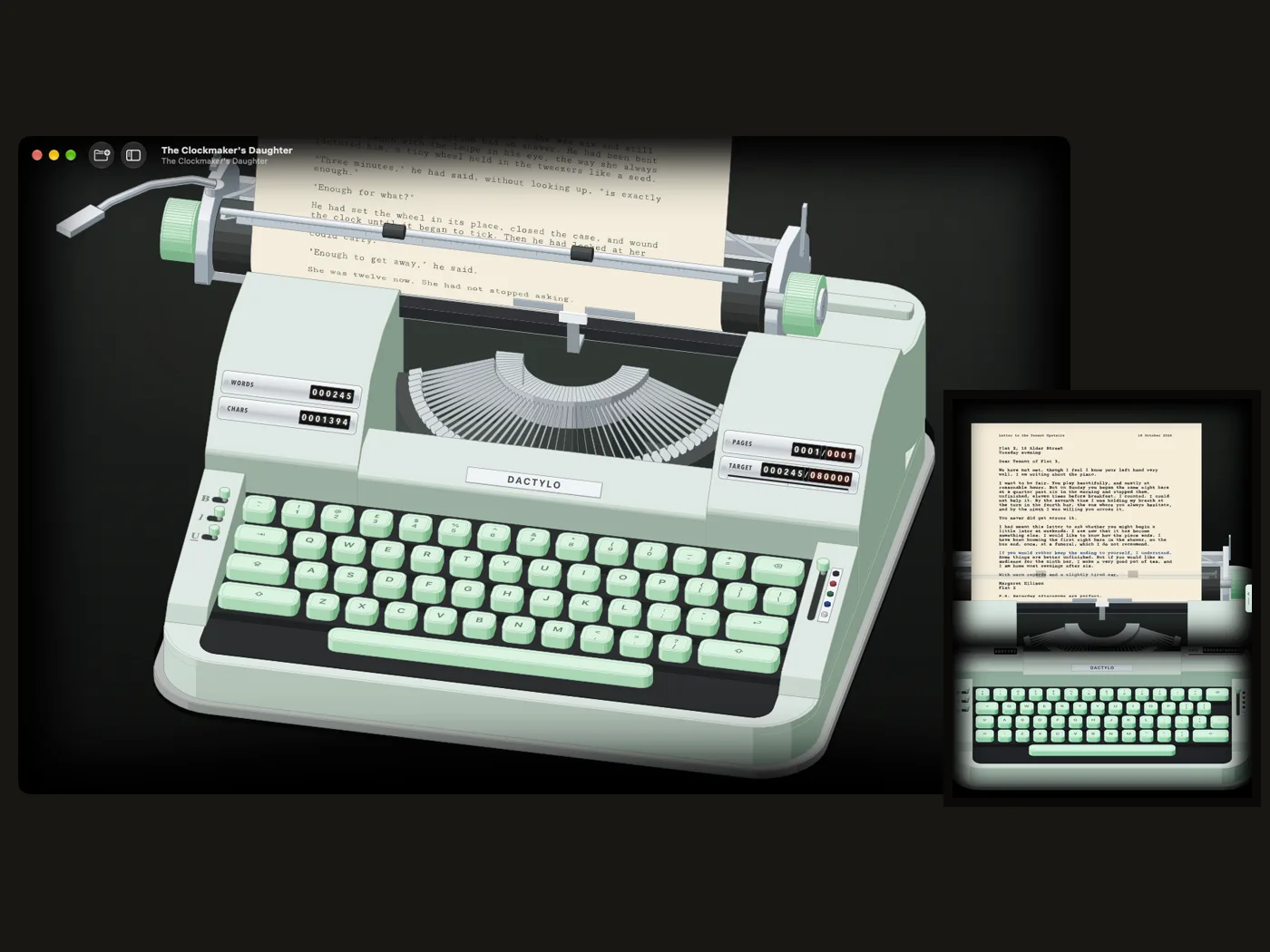
Dactylo draws a complete portable typewriter in three dimensions and runs it like the real thing.

Typebars and basket. Every key lifts its own typebar from the basket; for capitals the whole basket drops, as on a segment-shift machine.

Carriage and bell. The carriage moves a letter to the left with every stroke and the bell rings seven letters before the right margin. Return, or the lever on the left, sends it home and feeds the paper a line.

Four views. Desk (the page above, the keys below), Whole Machine (turn it, tilt it, zoom), Page (close on the paper) and Manuscript (read and edit the text). Esc moves between the machine views.

Your keyboard. The keys carry your own keyboard's letters, in your language, ISO or ANSI. On the iPad you can also tap them.

Colours. Five body colours and four key colours, or your own; the letters on the keys can be dark, light, red, brass or a colour you mix.

Saved views. Keep the angles and framing you like under a name and switch between them from the View menu.
§ 02Sound

The music of a typewriter.

Recorded from a 1960s machine and played with a little variation every time, so it never sounds like a loop.

Four machines. Portable (crisp and quick), Office (deep strikes, a solid return), Electric (with the hum of a motor) and Quiet.

Ambience. Rain, Fireplace, Wind, Record Crackle, Deep Noise or Night, made sample by sample inside the app, at the level you like.

In the manuscript. Keys, space bar, carriage return and the bell can follow you into the Manuscript view.

§ 03Ink and type

Ribbons, slugs and smudges.

The look of the ink is part of the writing.

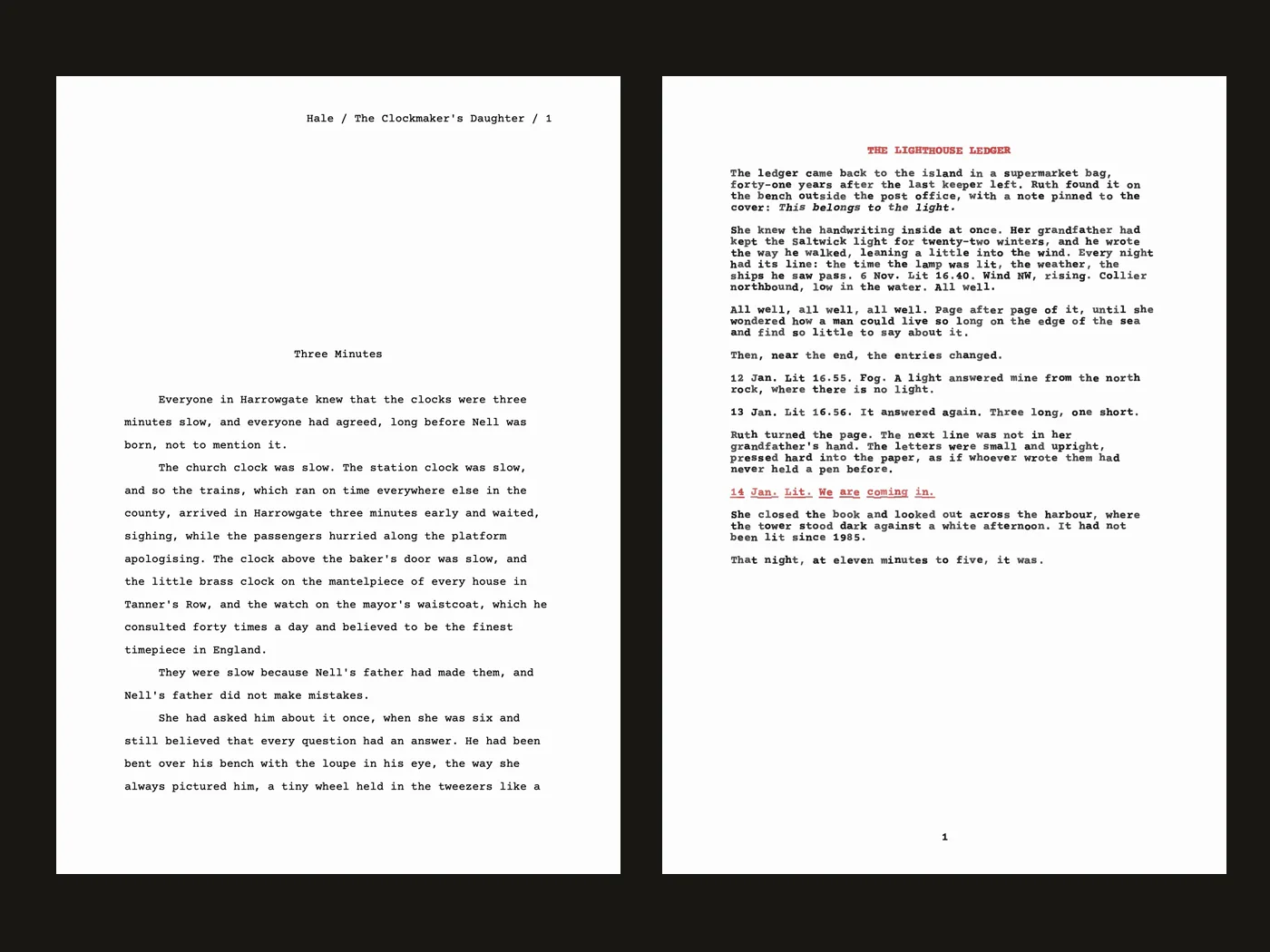
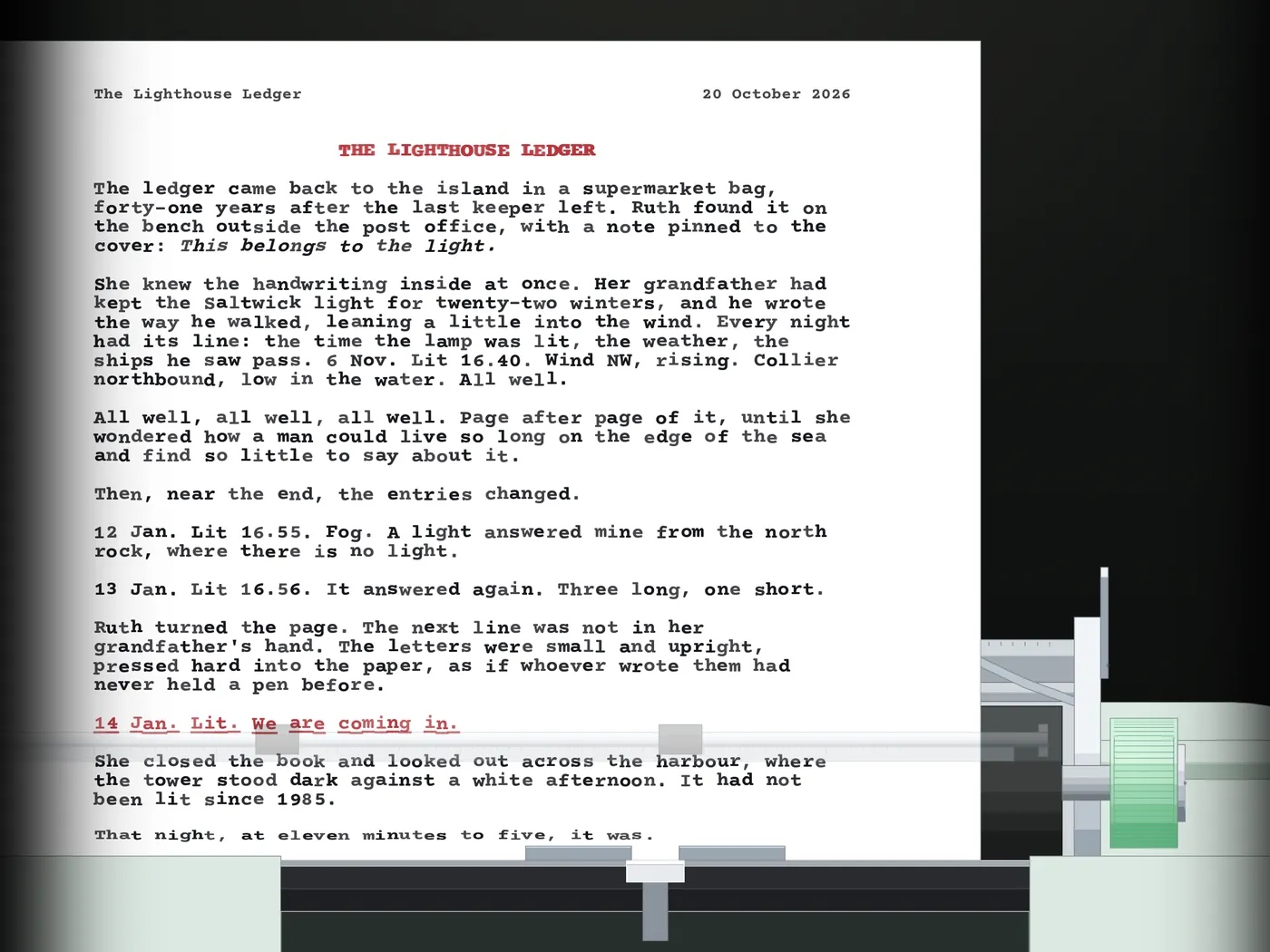
Ink selector. A lever on the right ramp switches the ribbon: black, red, green, blue, or no ink at all to write blind. Mix up to twelve inks of your own.

Bold, italic, underline. Sliders on the left ramp, or ⌘B ⌘I ⌘U. Bold is struck twice a hair apart; underline is an underscore typed over the letter.

Five typefaces. Courier Prime, TT2020 (worn), Cutive Mono (thin), Space Mono (sixties) and Inconsolata (modern).

Ink look. Five levels of ink density, crisp, soft or smudged edges, uneven strikes, and a ribbon that fades as you type until you put in a new one.

Red and black ink on paper

§ 04Paper

Choose the sheet.

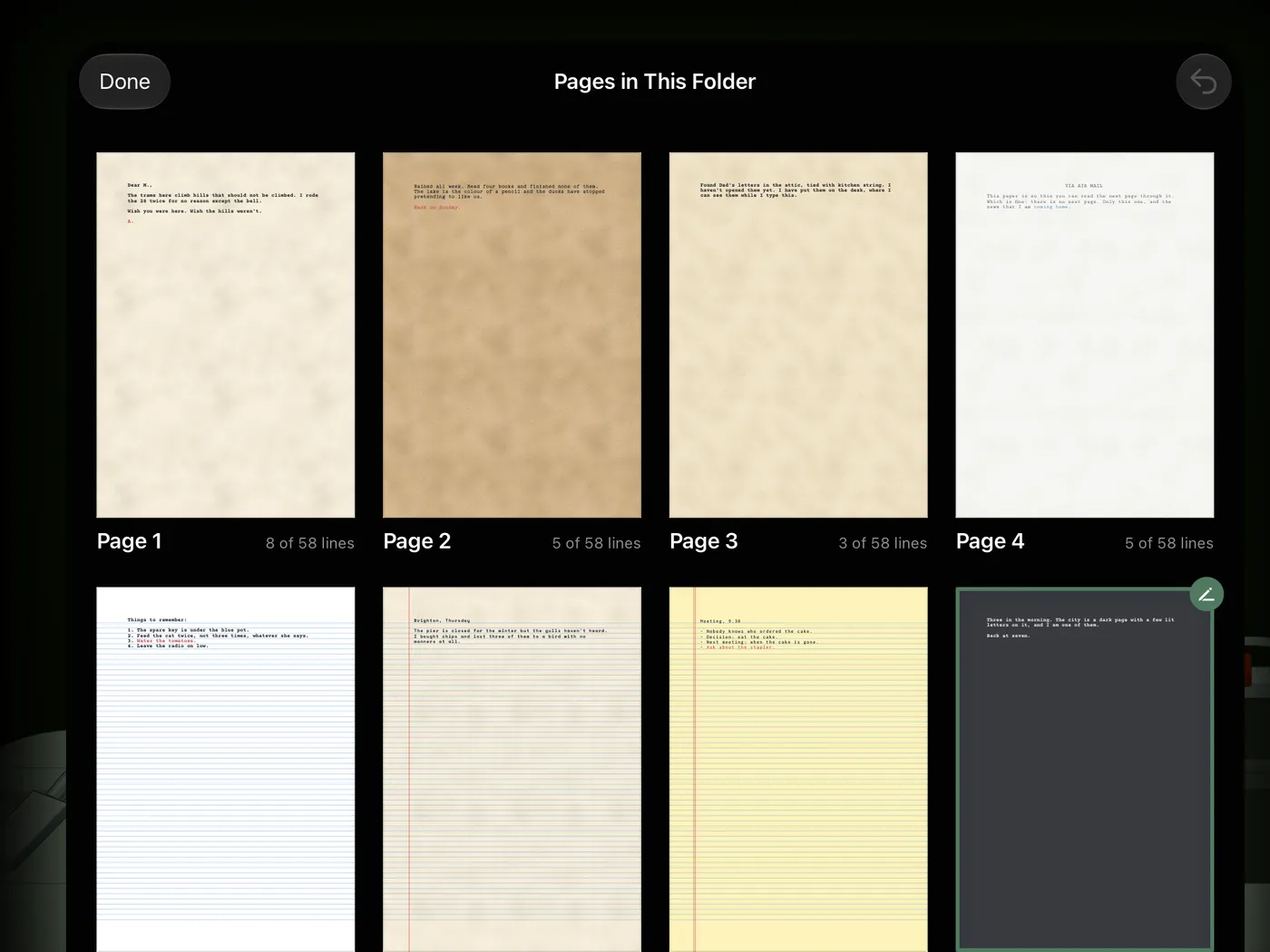
Every page keeps its own paper, so a notebook can look different from a novel.

Tone and texture. Light, sepia or dark paper, or your own colour; plain, cotton, laid, aged, kraft or onionskin.

Lines. No lines, lined, lined with a red margin, a yellow legal pad or a letter grid, each line under a typing line.

Sizes. A4, US Letter, US Legal and A5; letters to a line and lines to a sheet follow from the paper and your margins.

Stance. The sheet stands upright, leans back as it grows, or curls back under its own weight like real paper.

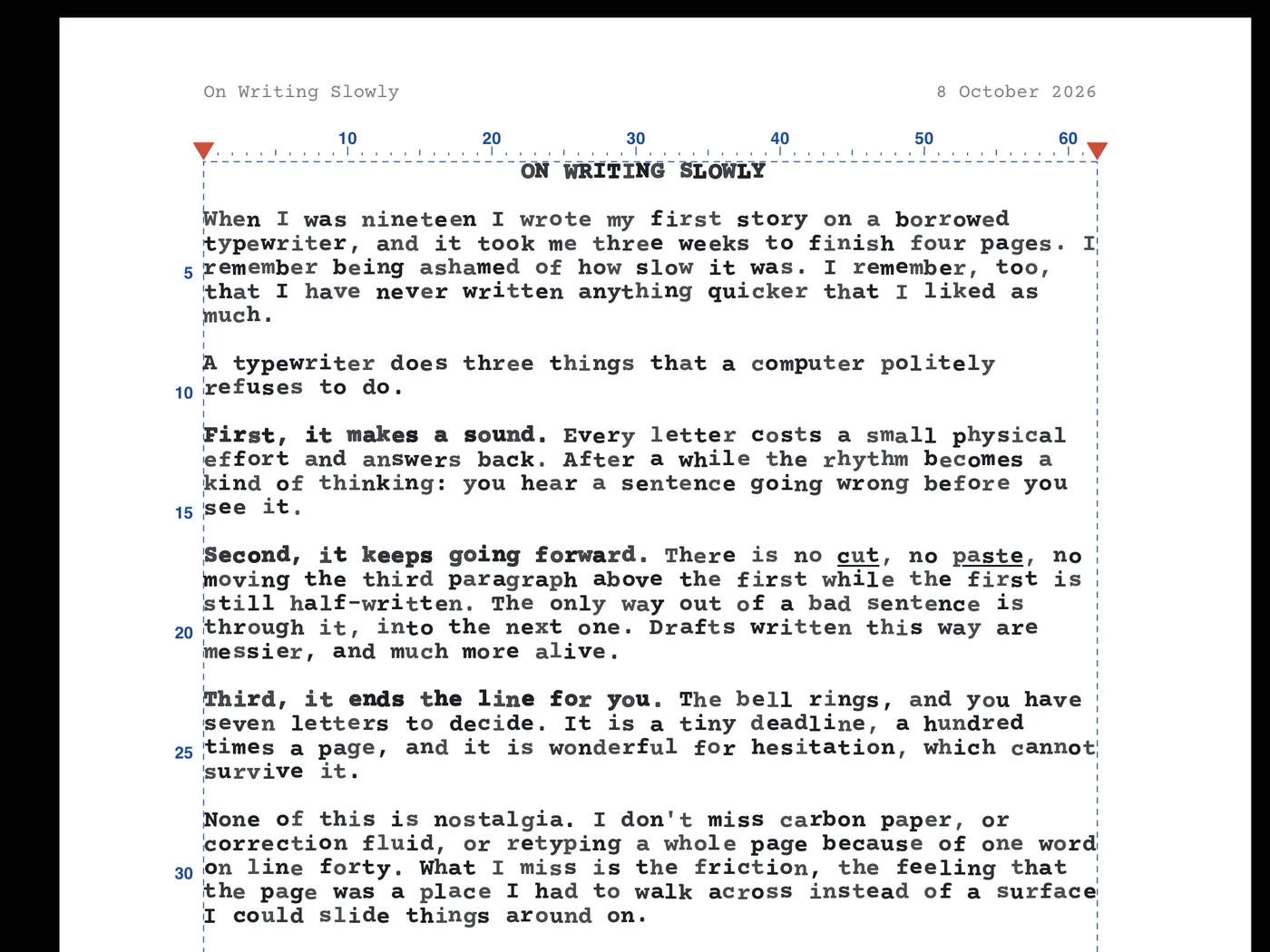
Guides. A pencil ruler, line numbers and margins on the paper, in a colour you choose for each page.

All Pages: eight pages of one folder, each on its own paper

§ 05Margins and spacing

Set it up like a typist.

The layout of the page is in your hands, not in a dialog.

Margin stops. Drag the red arrows on the ruler, or the red stops on the carriage rack, a column at a time. The manuscript's ruler has the same arrows.

Line spacing. Single, one and a half or double, on the machine, in the manuscript and in the PDF.

Tab stops. Tap the ruler to set a stop, drag it to move it, pull it off to take it away; beyond your stops Tab steps every few letters. Every page keeps its own.

Bail rollers. The rubber rollers on the paper bail slide along their rod, wherever you want them.

The margin arrows on the ruler

§ 06Writing

Tools that keep you typing.

Small things that add up to pages.

Draft Mode. Backspace types an x over the last letter instead of erasing. You only go forward.

Backspace your way. Erase like a computer, move back to type over like a typewriter, or keep every mistake.

Counters. Words, characters, sentences, pages, your target and today, rolling on the machine's covers.

Goals and sessions. A daily goal, a timed writing session with a bell at the end, and a word target for each folder.

Page header. The page's title and the day (and hour) it went into the machine, printed small at the top of the page. Tap the title to rename it.

Night Light. Off, on, or every evening from eight: the page dims and the lamp turns amber.

Counters and goals

§ 07Library

A binder for everything you write.

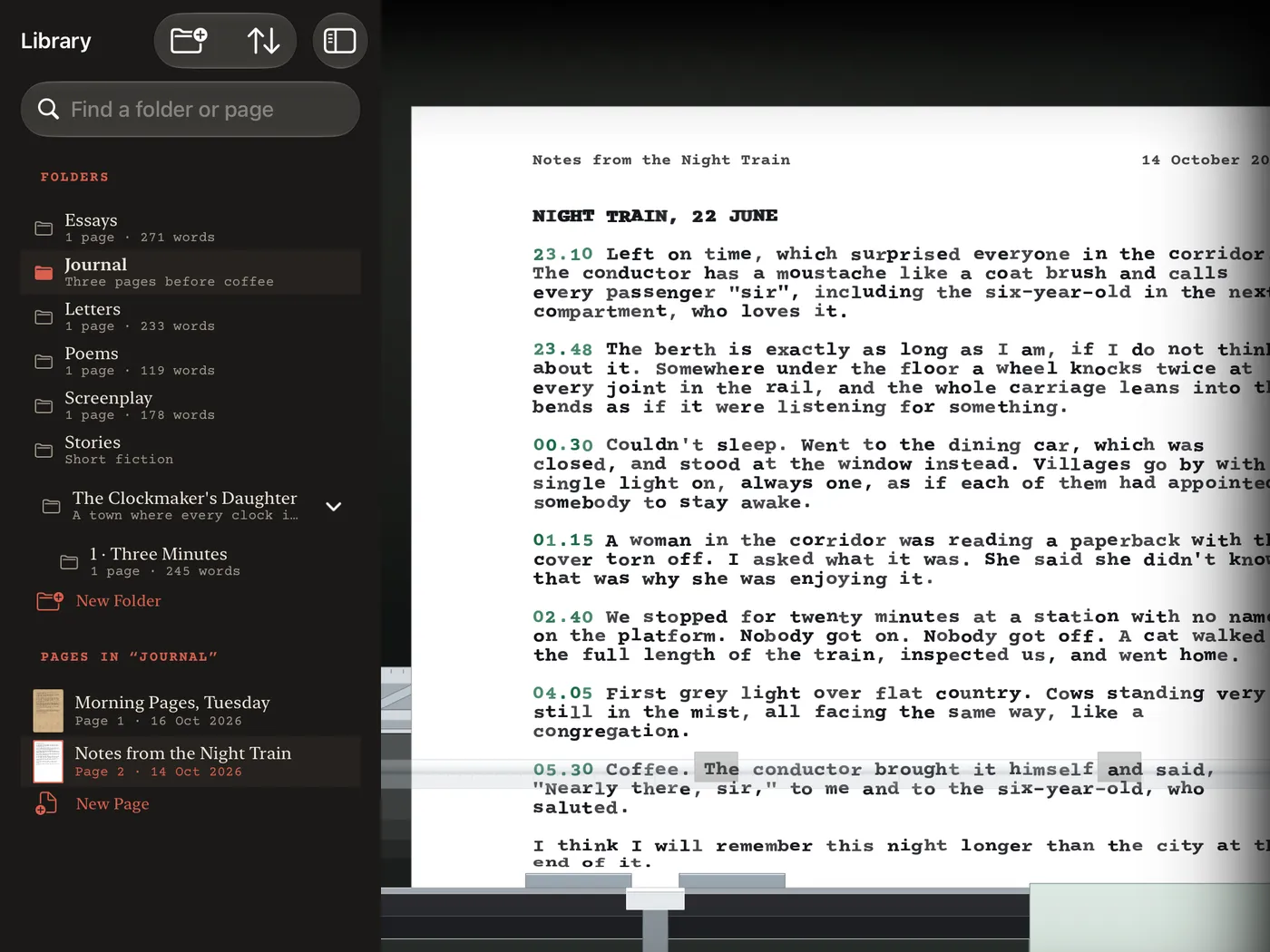
Folders and pages, the way you would keep them on a shelf.

Folders in folders. A book and its parts and chapters, a diary by year, letters by person.

Pages. Every sheet in the machine is a page with its own look, title and date; drag to reorder, duplicate, move, rename.

All Pages. Every sheet of the folder laid out on the desk; put any of them back in the machine.

Recently Deleted. A deleted page or folder waits 30 days at the bottom of the library.

Import. Bring in .txt and Markdown files; each becomes a folder of typed pages.

The library

§ 08Manuscript and export

From draft to submission.

When it is time to share, Dactylo does the formatting.

Manuscript view. The open folder's pages as text you can select, cut, paste and correct; one page, two side by side or many.

Standard manuscript. PDF or Word in the format agents and editors expect: Courier 12 pt, double spaced, title page with name, contact and word count, chapters on new pages, running header.

Typed pages PDF. The pages exactly as they look on the machine: paper, ink, typeface and all.

Text and Markdown. Clean text files, with bold, italic and underline kept in Markdown. Lines broken at the margin join into paragraphs, or keep them as typed.

Exported pages

§ 09Sync and safety

Yours, on every device.

No account. No server of ours. Your iCloud, your files.

iCloud Drive. Folders and pages in iCloud Drive › Dactylo, the same on every Mac and iPad; you carry on where you left off.

Never overwritten. If two devices change the same page, both versions are kept.

Backup. The whole library in one file; restore it beside what you have, nothing is replaced.

Lock. Face ID or Touch ID when Dactylo opens; on the iPad the app switcher shows nothing.

Private. Dactylo collects no data at all. Read the privacy policy.

Mac and iPad

§ 10Languages

In nine languages.

The menus, settings and machine speak your language; your writing stays as you wrote it.

EnglishTürkçeEspañolPortuguês (Brasil)DeutschFrançais日本語繁體中文한국어